








Closed balance that can’t drift
Finalized totals stay locked regardless of date filters, eliminating date-range discrepancies for Finance.
 See how it works

Finance in ReferOn is one connected module, not three exports stitched together in
Excel. Track accruals, process payouts from draft to proof, and handle Fixed Fees —
all from a single source of truth. Pay it in one click.
Accruals
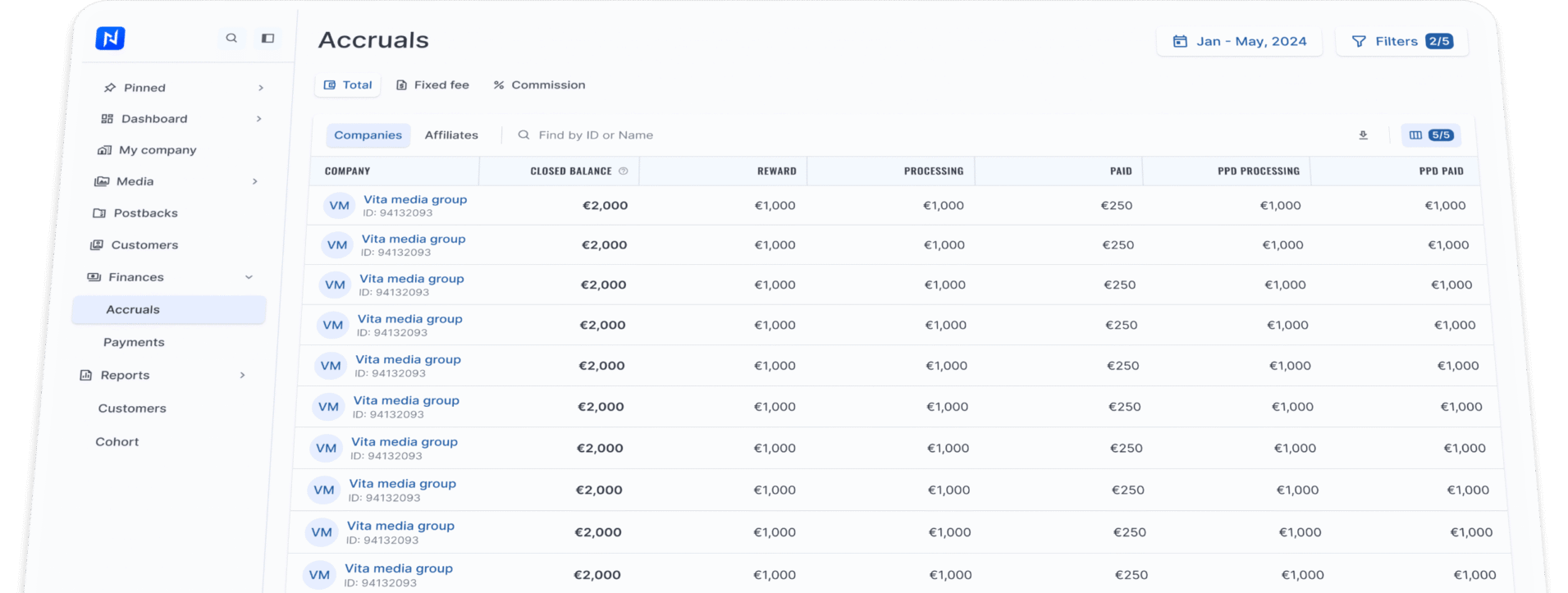
The single ledger for all partner earnings. Switch between Total, Fixed Fee, and Commission views — by company or affiliate — and track money from earned to paid.
Closed balance that can’t drift
Finalized totals stay locked regardless of date filters, eliminating date-range discrepancies for Finance.
Full payout lifecycle per row
Track Reward, Processing, Paid, PPD Processing, and PPD Paid in real time.
Company & affiliate perspectives
Reconcile high-level totals, then drill down into individual accounts.
Finance-first filters
Isolate balances by manager, payment method, or amount threshold with one click.
Bulk payouts
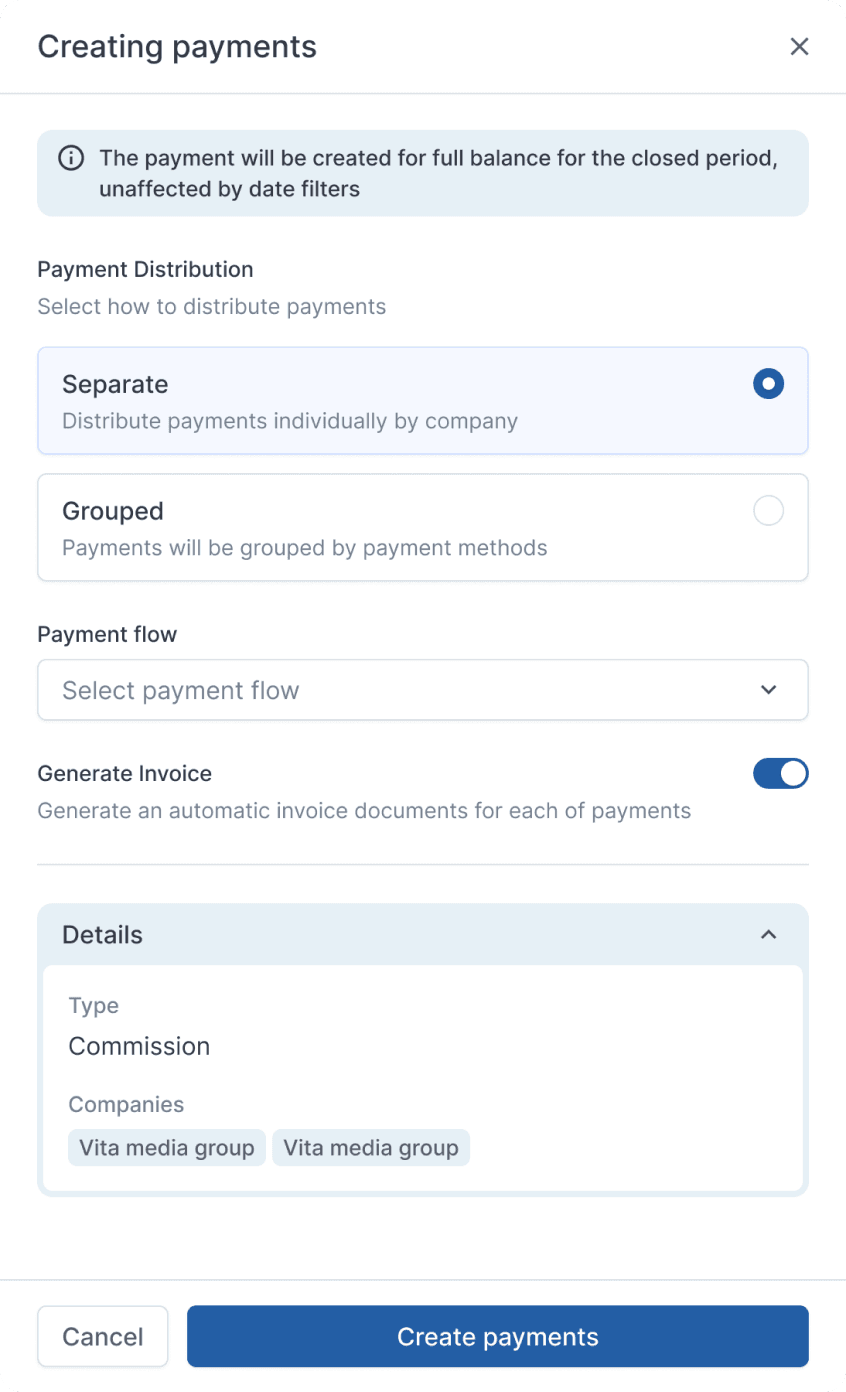
Month closed? Select every account with an active balance and generate payouts in a single action — no manual clicking, no copy-pasting into banking templates.
Distribute payments individually by company, or group them by payment method. One decision, applied to the whole selection.
Bulk payments are created for the full balance of the closed period, unaffected by whatever date filters you had open. What’s owed is what gets paid.
Assign routing flows in the same step, sending payouts straight into the queue — including automated crypto payouts.
features
The central hub for all created payouts. Every payment carries its real-time status, invoice, proof of payment (POP), and full history. When an affiliate asks where their payout is,
the answer takes one click.
Accruals
ReferOn offers two payment flows: automatic flows release crypto instantly via your provider upon batch confirmation, while manual flows hand payouts off to your existing setup — wire, SAP, or ops. Choose per batch.
Release and status in one motion
The provider executes the payout and ReferOn updates the record. Zero wallet copy-pasting or manual status tracking.
Automation with full control
Enforced with 2FA, role-based access, and encrypted APIs. The system controls who triggers payouts and logs every action.
Mix flows freely
Some affiliates on automatic crypto, others on manual wire. Set it per flow, choose it per batch. The two coexist on the same ledger.
Fixed fee
Listing fees, placements, or one-off deals — Fixed Fee covers everything outside standard commission logic. Apply it at any level: company, affiliate, brand, GEO, campaign, or down to a single tracking link.
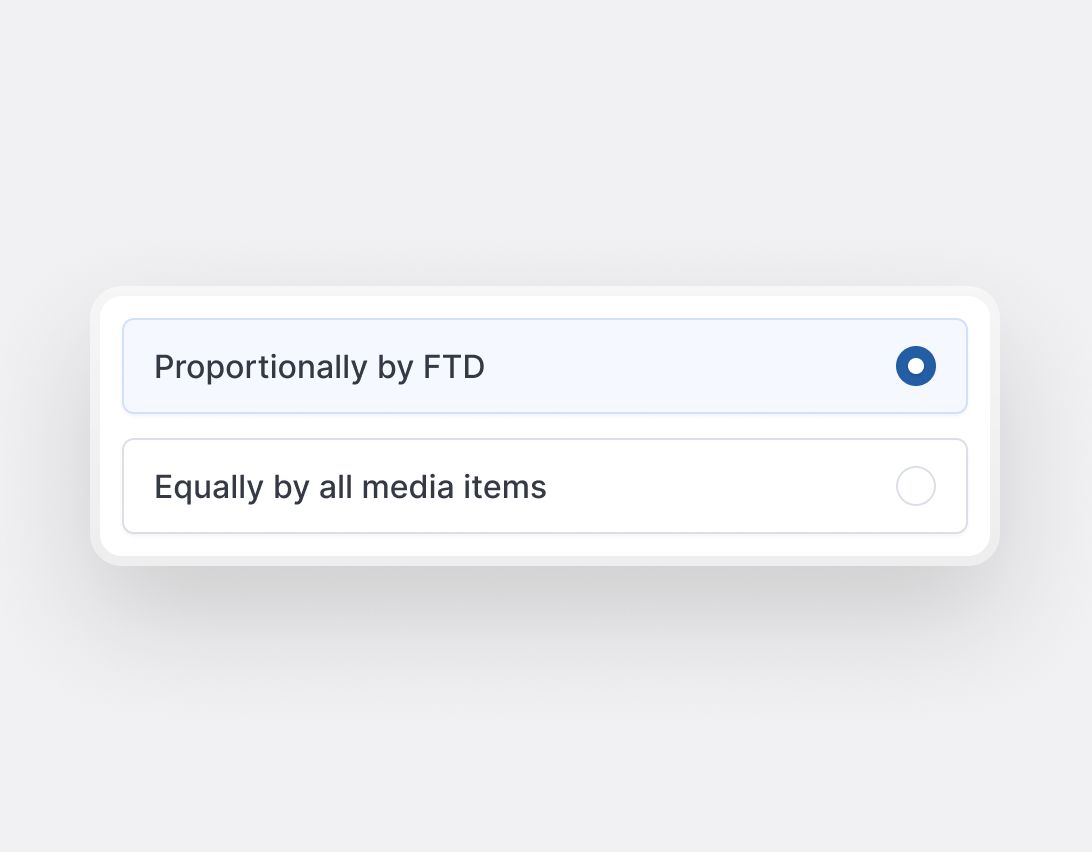
Split fees proportionally by FTDs to reward actual results, or distribute them equally across all media items for flat deals. You choose, the platform distributes automatically.
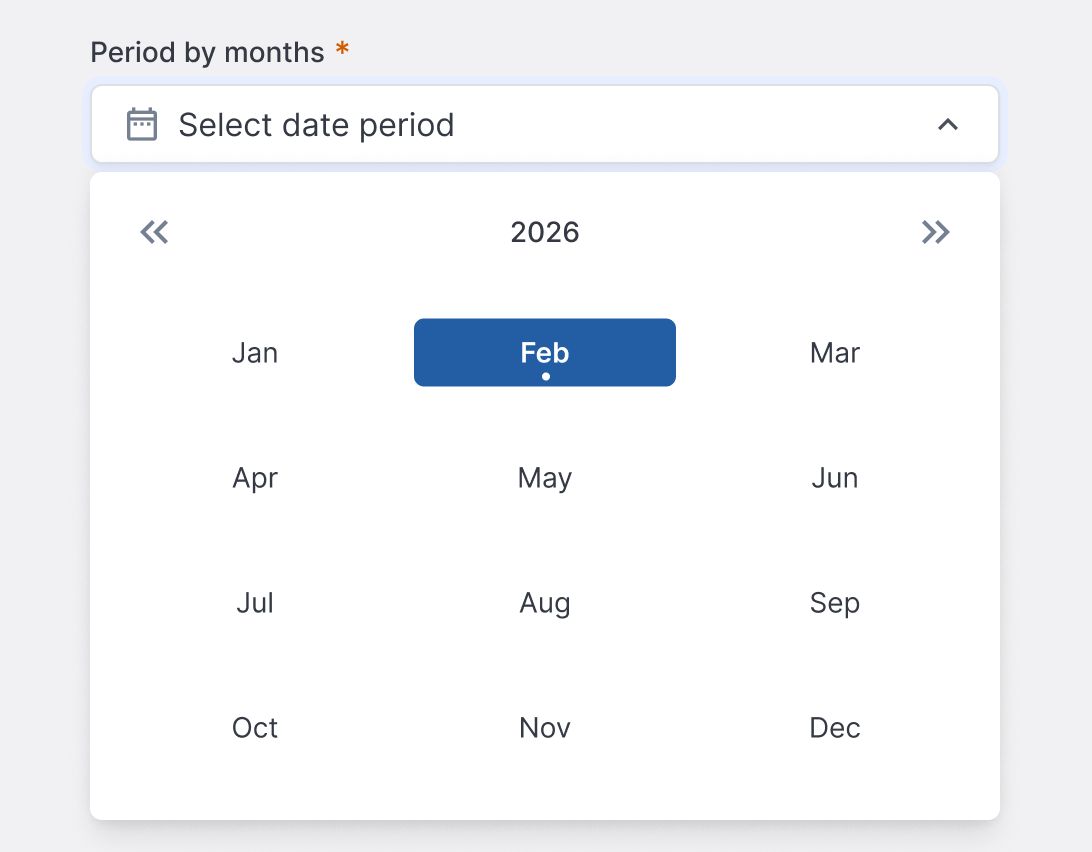
Set a fee once for the entire duration. No re-creating the same entry every month.
Fixed fee
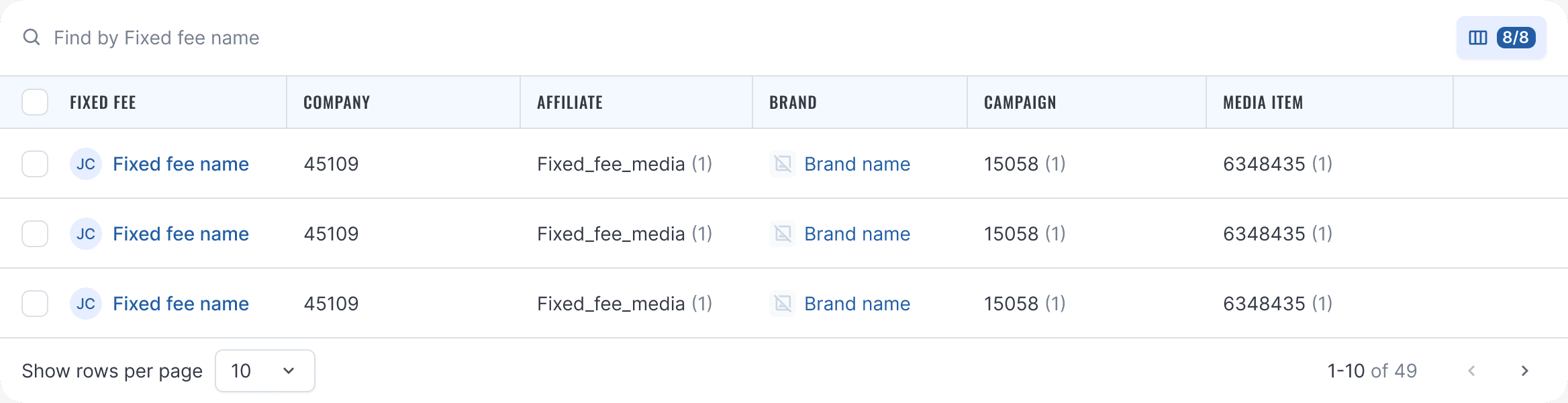
Every fee clearly displays its company, affiliate, brand, campaign, and media item directly in the list. Full clarity without opening the deal.
Accruals
Chargebacks, adjustments, or clawed-back bonuses — enter a negative fixed fee and it becomes an explicit deduction. It uses the same distribution logic, lives on the same ledger, and carries the same audit-level detail.
Adjust without side spreadsheets
Corrections happen inside the platform, on the record, not in a parallel Excel file that finance keeps “just in case”.
Same transparency as any accrual
Deductions clearly show their scope, reason, and split. Affiliates see exactly what was deducted and why.
Proportionally by FTD → fee lands where the deposits happened
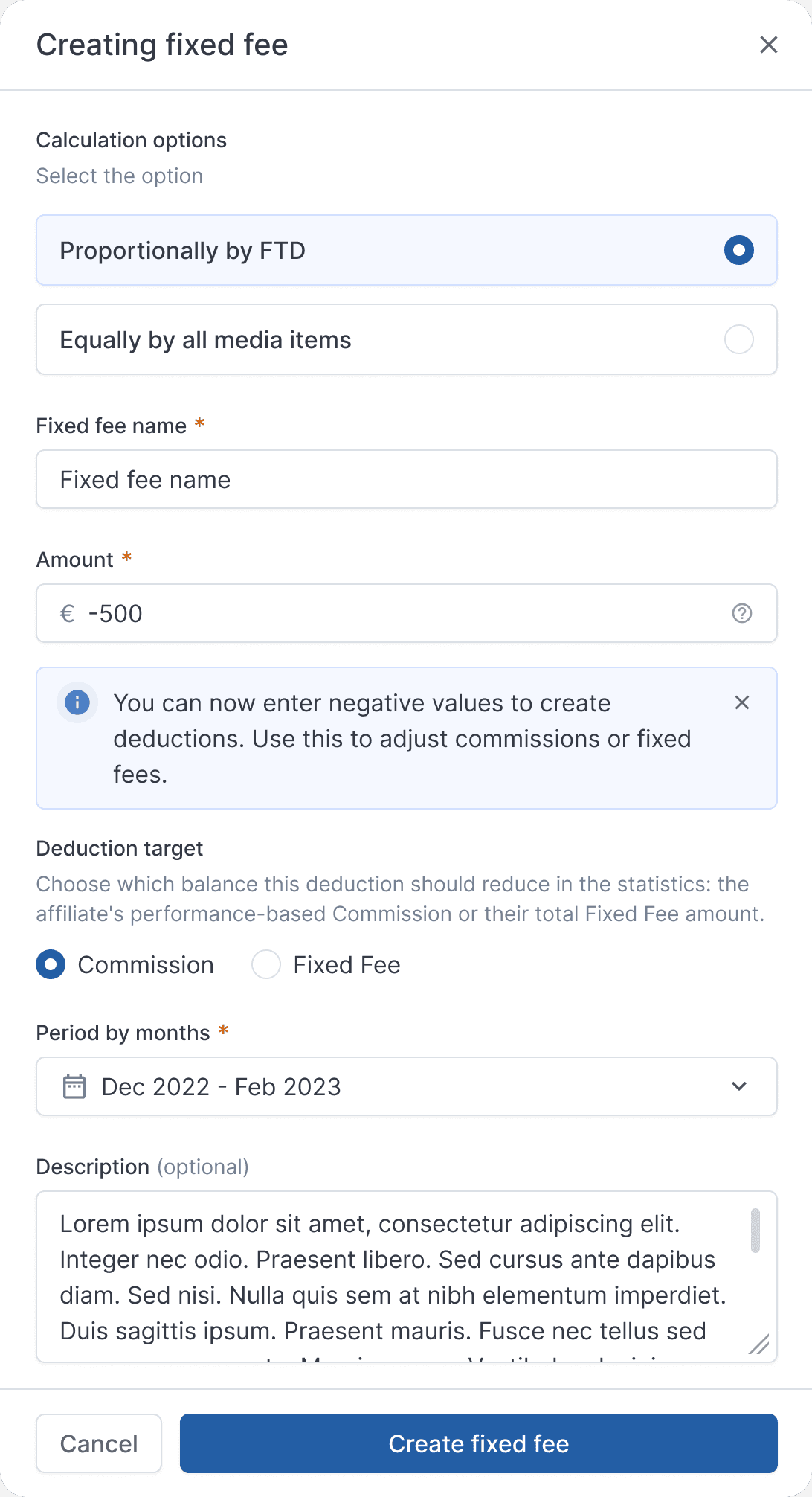
-€10.00 on the ledger beats a correction email nobody can find in March
Finance teams process data differently. ReferOn gives you total display control, letting you build the exact view you need for your workflow.
Show 8 of 8 or 12 of 31. The table you see is the table you configured.
Download your exact filtered view in one click. What’s on screen is what goes into your export.
Select, act, complete. Apply actions to payments, accruals, and fees using the same intuitive pattern everywhere.
We use cookies
We use cookies to run this website, understand how it is used and measure our marketing. Strictly necessary cookies are always on. Everything else is your choice, and you can change it at any time. Read our privacy policy.
Manage cookie preferences
Choose which categories you allow. Your choice applies across the website and can be changed at any time via Cookie settings in the footer.
Strictly necessary
Required for the website to work: security, load balancing, and remembering your cookie choices. These cannot be switched off.
Performance and analytics
Help us see which pages are visited and how our content performs. This information is used in aggregate to improve the website.
Marketing
Used by our marketing platform to link your visits and form submissions to your contact record, and to measure how our campaigns perform.
Social media and embedded content
Allow content embedded from LinkedIn, YouTube, Instagram and Vimeo to load. These platforms may set their own cookies.