








One redirect, every link
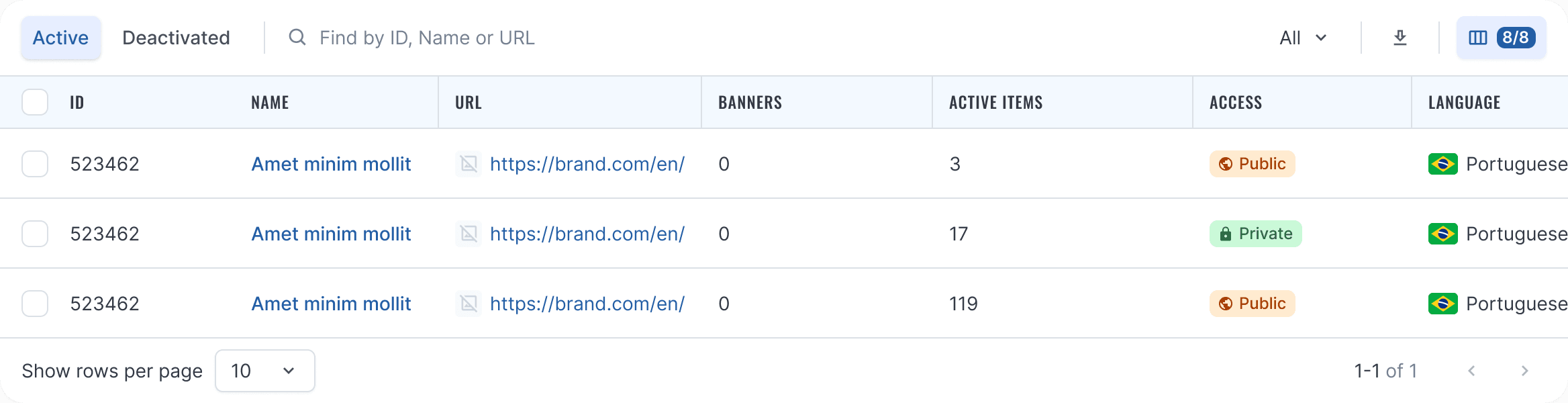
Set the destination URL at the campaign level. Every link generated under it sends traffic there. Update it once, and every link follows automatically.
 See how it works

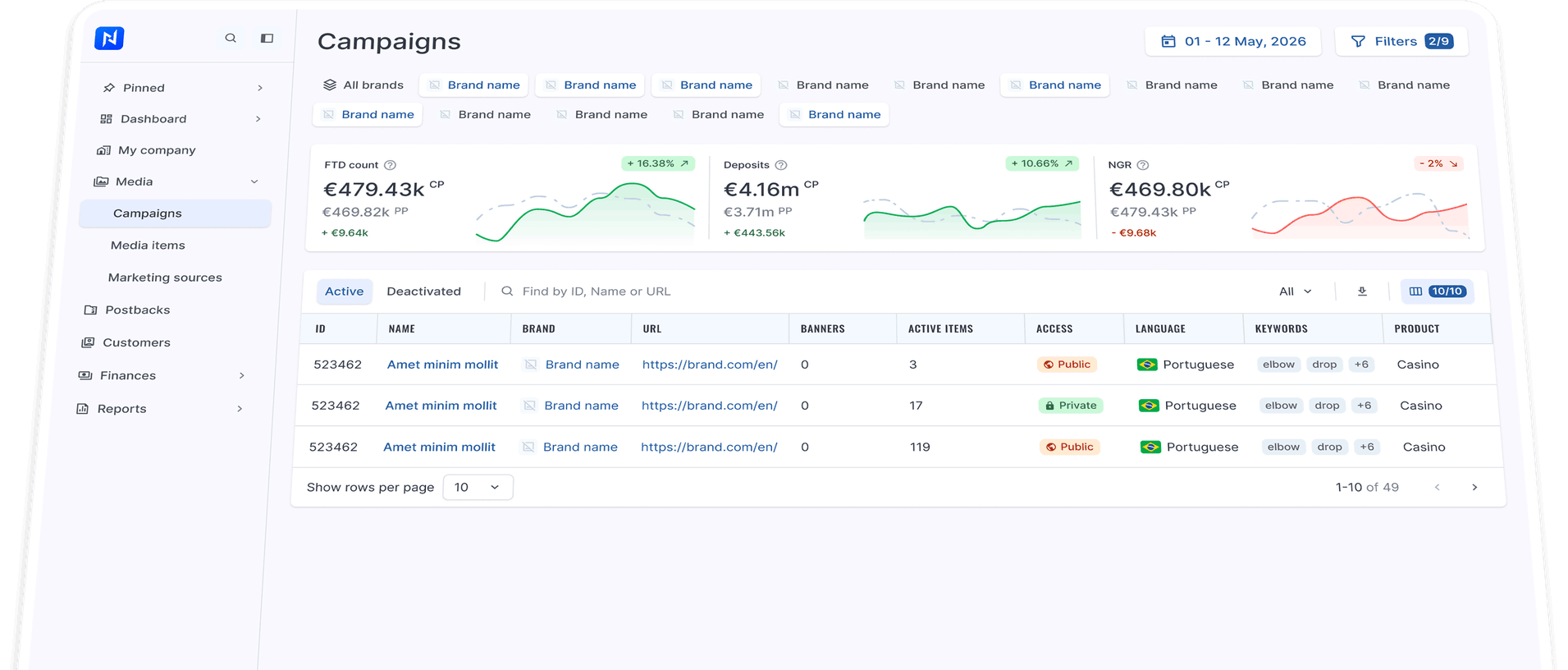
A ReferOn campaign brings your destination, brand, banner library, and visibility rules together under one roof. Every tracking link, banner placement, or promocode created inside it inherits the entire setup. Nothing is hidden behind hashes. The URL carries the affiliate ID and media item ID out in the open, letting operations read the context straight from a Slack screenshot.
The campaign as template
A campaign in ReferOn is more than just a tracking link — it’s the master setup. It defines the destination URL, the brand, the banner library, and the visibility rules. Build it once, and every tracking link, banner placement, or promocode generated inside inherits all four settings, whether you make it public to all affiliates or private to a specific list.
One redirect, every link
Set the destination URL at the campaign level. Every link generated under it sends traffic there. Update it once, and every link follows automatically.
Brand and language inherit
Brand assignment and locale are tied directly to the campaign. Tracking links and banners pick them up automatically — no manual configuration required.
Public or private, by list
Brand assignment and locale are tied directly to the campaign. Tracking links and banners pick them up automatically — no manual configuration required.
The asset library
Banners live at the campaign level, not on individual links. Upload files in batches, paste a comma-separated list of external URLs, or drag an entire creatives folder straight onto the dropzone. Easily filter assets by resolution, file size, or extension, so every link generated under the campaign can pull directly from the library.
Link, banner, promocode
When you create a media item under a campaign, choose from three types. A tracking link for affiliates to paste into a post or page. A banner that renders the campaign’s image with the tracking string baked into the click. Or a promocode to tie offline channels back to the same affiliate, traffic type, and reward plan. All three sit on the same row with identical statistics, bulk operations, and export options.
Link
Generate a tracking URL to advertise your product across any affiliate cabinet, chat, or blog post.
e.g. brand-c.com/?mid=321361_2140102
Banner
Pick directly from the campaign library. Asset renders with the tracking string baked into the click for every impression.
e.g. 221_1920×2109_69 · jpg
Promocode
A word or short string that ties offline traffic, podcasts, streamers, or print media back to the same affiliate and deal.
e.g. CODE: SMOKE2026

The URL is the receipt
Most platforms hash the click. ReferOn doesn’t. Every tracking URL carries ?mid=affiliateID_mediaItemID in plain digits. The affiliate ID is the partner.
The media item ID is the deal, the GEO, the traffic type. A screenshot in Slack, an export in a CSV, a paste in a postback log, all tell operations exactly what’s behind the click without opening a single tab.

Nothing hashed
The two integers are the lookup. Anyone on operations reads the URL on a screenshot and knows the partner, the deal, the GEO, without opening the platform.
Postbacks carry both
The brand sees who and what on every event it logs. Reconciliation against the platform reduces to matching two columns of digits.
Dynamic variables on top
Stack ?mid=…&sub1=…&sub2=… for affiliate-side passthrough. The base lookup stays readable with the custom variables attached seamlessly.
The selection is the action
A negotiation closes and you need to bump the deal on every link an affiliate has under one brand. A regulator update lands and you need to flip traffic type across a campaign. A test set has run its course and the whole batch needs to deactivate. Pick the rows.
Pick the action. Run it.
The row is the report
The export ships ready
A switch in the header transforms your view. Set to Off, the row displays the media item, type, brand, and reward plan. Set to On, the same row adds clicks, registrations, FTDs, and bonuses for your chosen date range. Four KPI cards above mirror your active table filters. Filter down to a single GEO, and the metrics recalculate for that scope.
Names, deals, GEOs, traffic types, performance metrics, and the live tracking URL itself, all in a single row. Send the file to an affiliate and they can paste the URL straight into their next brief. No copying between tabs, no manually re-stitching strings.
 Flip the switch
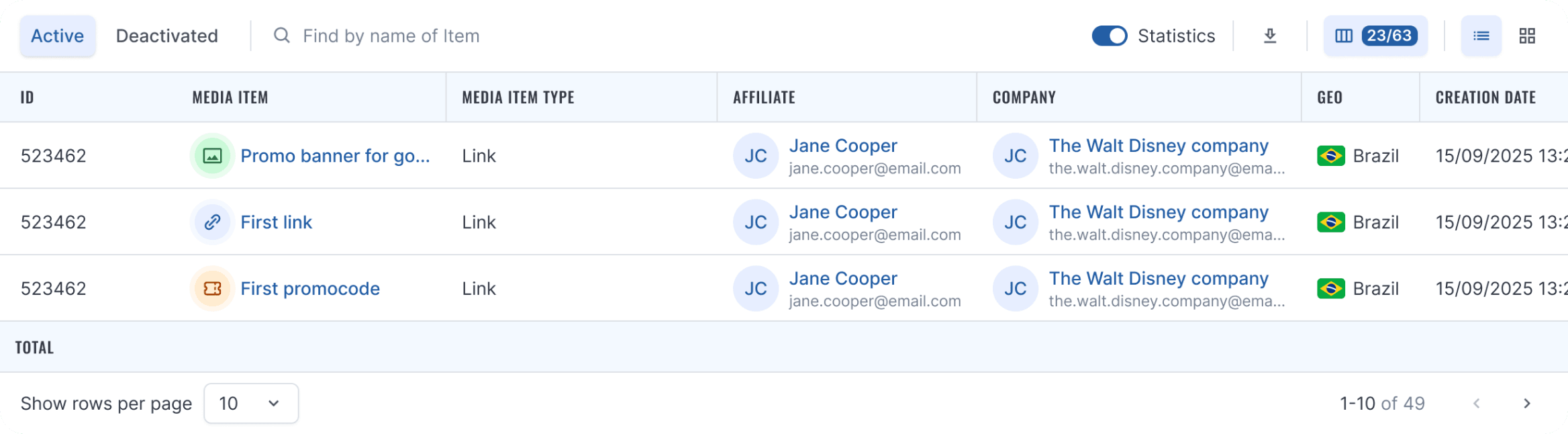
Same rows, columns shift. Performance numbers replace deal metadata when the switch is on.
Flip the switch
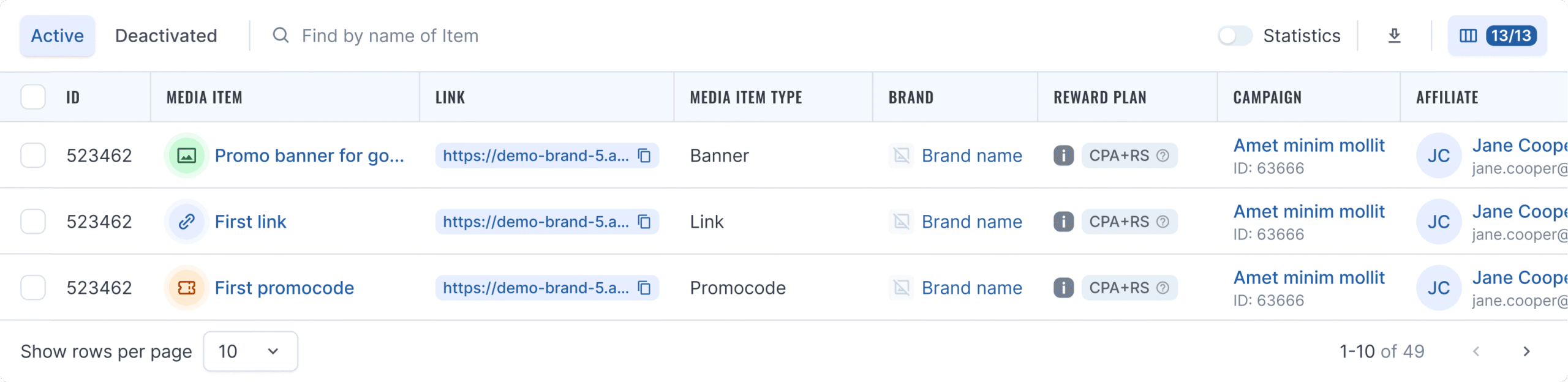
Filters carry over automatically. The CSV mirrors what’s on screen, whether statistics are toggled on or off. The URL column ships ready to paste, no per-link rebuilding on the affiliate side.
We use cookies
We use cookies to run this website, understand how it is used and measure our marketing. Strictly necessary cookies are always on. Everything else is your choice, and you can change it at any time. Read our privacy policy.
Manage cookie preferences
Choose which categories you allow. Your choice applies across the website and can be changed at any time via Cookie settings in the footer.
Strictly necessary
Required for the website to work: security, load balancing, and remembering your cookie choices. These cannot be switched off.
Performance and analytics
Help us see which pages are visited and how our content performs. This information is used in aggregate to improve the website.
Marketing
Used by our marketing platform to link your visits and form submissions to your contact record, and to measure how our campaigns perform.
Social media and embedded content
Allow content embedded from LinkedIn, YouTube, Instagram and Vimeo to load. These platforms may set their own cookies.